
Create Alert/Message Templates
Use templated alert messages for various situations to ensure a consistent voice when communicating with golfers. Messages should be concise and easy to read.
Creating Alert Templates:
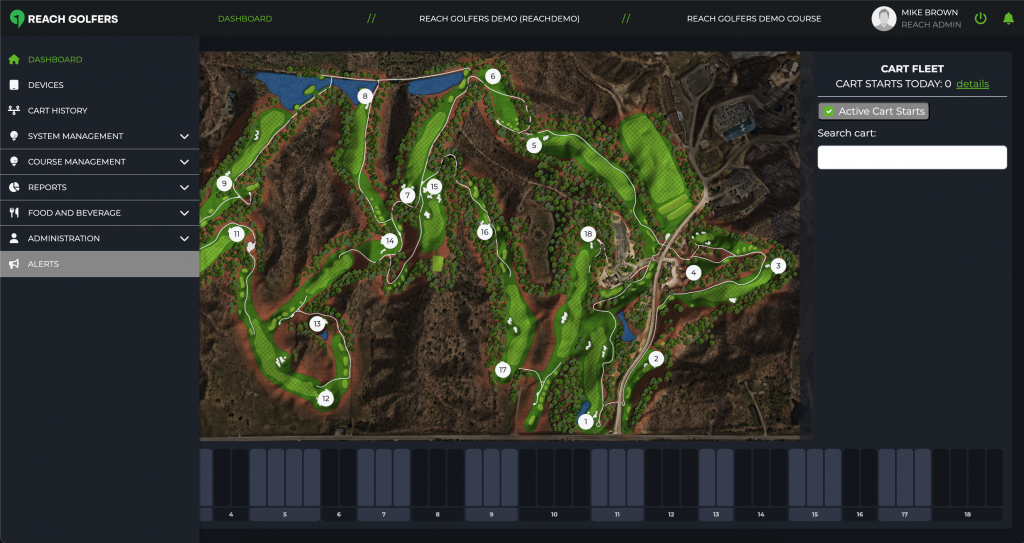
1. From the Dashboard, use the left panel menu to navigate to the Alerts page.
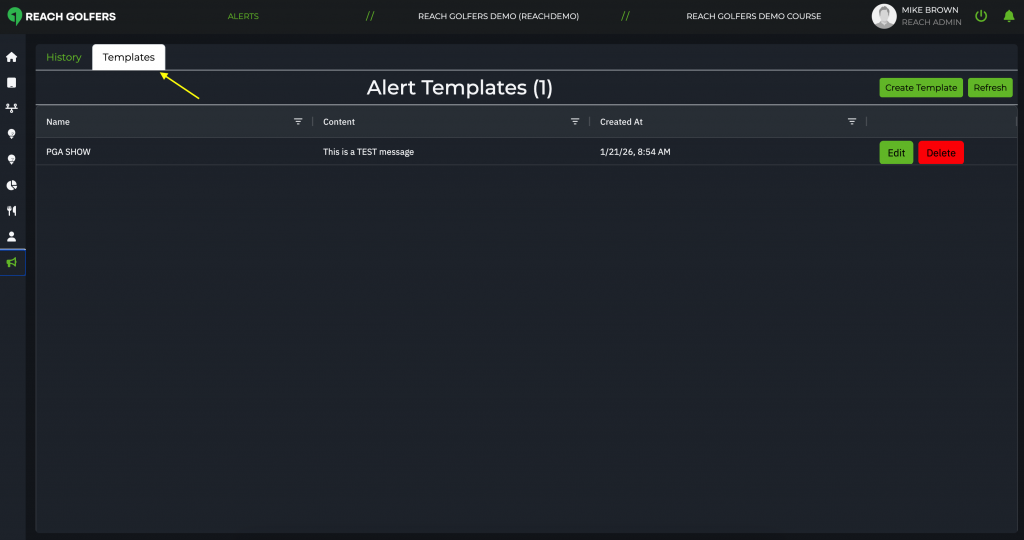
2. From the Alerts page, select the Templates tab.
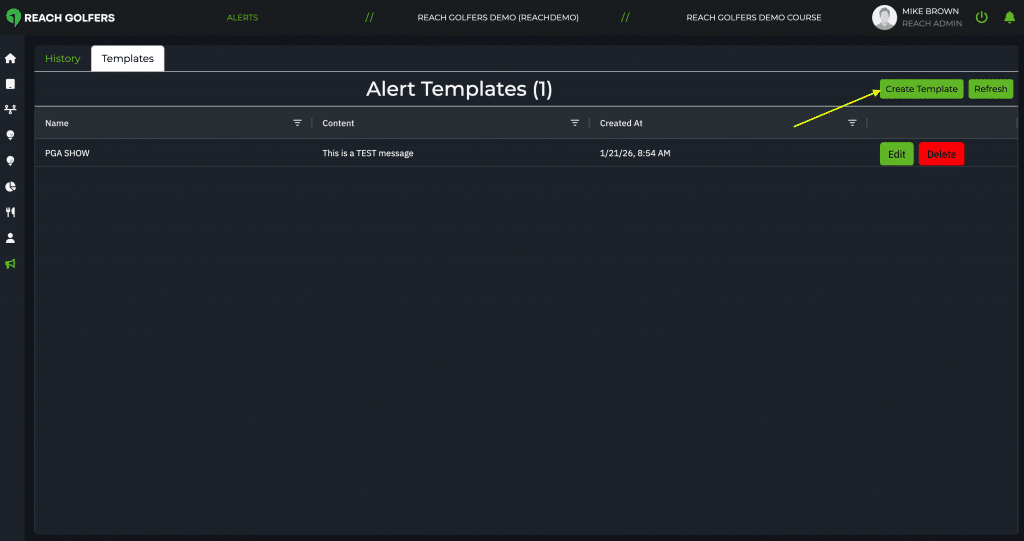
3. Click the button to Create Template.
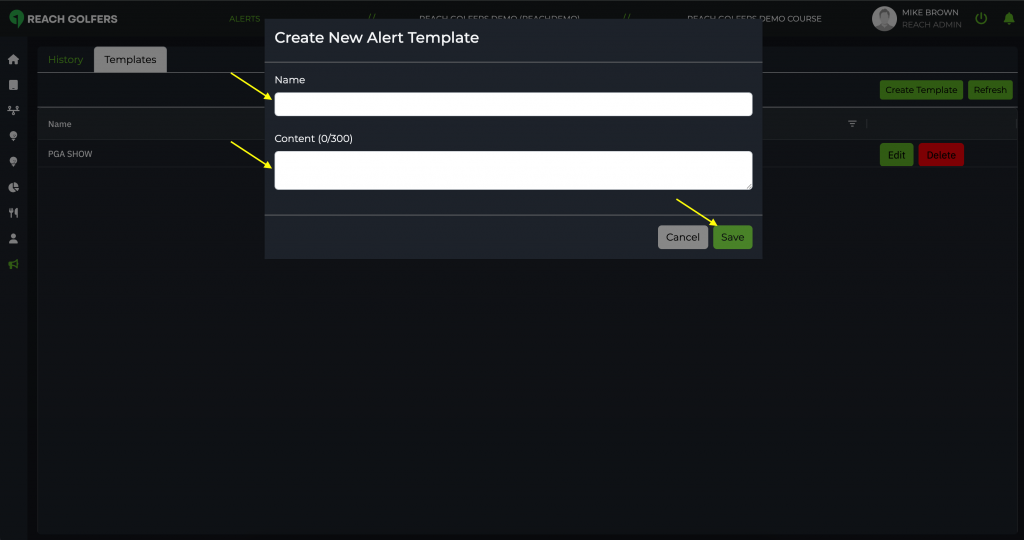
4. Name the template and enter your content, then press SAVE.
Template Examples:
Template Name: “PACE – 1st Notice”
Message: “FIRST NOTICE: Our pace of play expectation is [HH:MM]. You are behind pace and delaying other golfers; please make every effort to catch up to the group ahead or allow delayed players to play through.”
Template Name: “PACE – 2nd notice”
Message:” “SECOND NOTICE: You are still behind pace and delaying other golfers. Please immediately skip ahead to catch the group ahead of you, or allow delayed players to play through on the next tee.”
Other commonly used templates to consider creating:
– WEATHER – Watch
– WEATHER – Warning
– CLOSING – Last Hole
– CART PATH ONLY – On
– CART PATH ONLY – Off